Your child’s first lesson is already on this page. Play it.

Every hard idea, from loops to APIs to machine learning, arrives as a game your child plays, then builds, in real code.

A free 45-minute class with Manisha, our founder — she takes every demo herself and replies on WhatsApp with slots for your timezone. Nothing charged, nothing to install.

Every lesson starts as a game. Try this one
Try Lesson Zero3 tiny games · tap a number to switch

Honey Launcher 🎯

game 1 of 3 · functions

Pull the honey pot back and down, then let go.

Target hive
drag to aim, live values appear hereattempt 1
real teaching moments from the camp · playable mini versionssound: synthesized in-browser · no files
1,000+ students taught
15+ years of teaching behind every lesson
“My child looks forward to this class every week” — Aradhana, parent

Every parent feels it: AI is changing what childhood needs to include.

The kids who thrive won’t be the ones who fear AI, or the ones who only consume it. They’ll be the ones who can build with it.

Two children absorbed in building something together at a glowing screen

“Will my kid be left behind?”

Not if they start where every builder starts: one small real project. That’s literally what the demo is.

“Isn’t this just more screen time?”

Watching is screen time. Making is an apprenticeship. Your child leaves the demo having built something — not watched something.

“Too young? Not techy enough?”

Our floor is genuinely zero — 8-year-olds start on blocks. The demo meets your child exactly where they are.

The demo answers all three — in 45 minutes, free.

What actually happens in the free demo.

No pitch, no pressure — if it’s not a fit, we’ll say so ourselves.

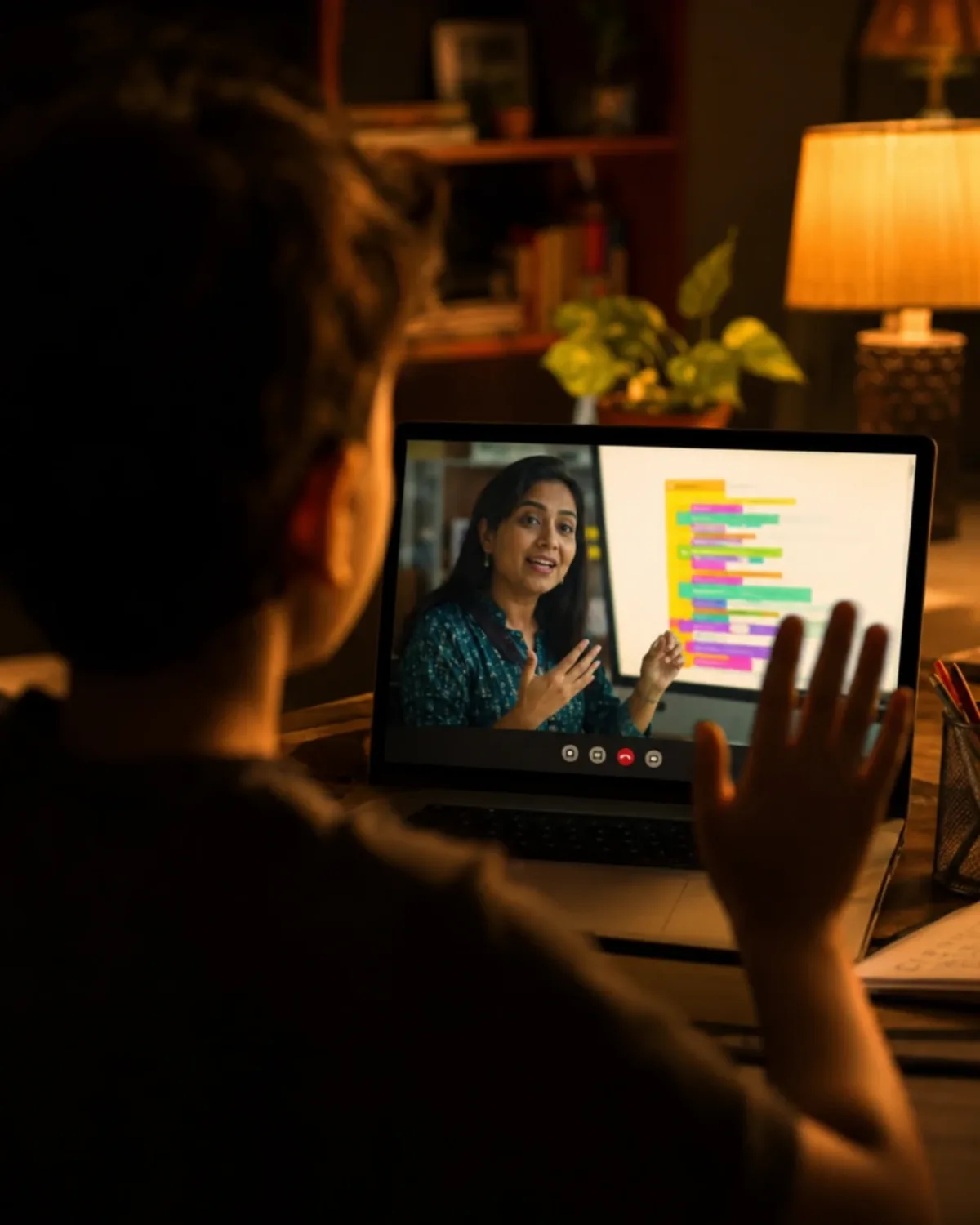
A live 1:1 online class: the teacher on screen, mid-lesson, with a child following along at home
  1. You WhatsApp usOne message — your child’s age and your city. That’s the whole form.
  2. Manisha replies with slotsShe takes every demo herself, so slots are real but limited — she’ll offer the nearest ones that fit your timezone.
  3. Your child builds, liveA real 45-minute class: they play a game, then build their first mini-project with her.
  4. You get an honest readWhere your child is, what they’d learn next, and whether we’re the right fit.
Book a free demo →

Nothing charged, nothing to install. If no slot suits, just say so — she’ll find one that does. Prefer email? manisha@codersbee.com

The journey, first print() to their own AI.

No mystery curriculum — this is the whole road. In your free demo, Manisha teaches Lesson 1 from it, live, so you see exactly how the road is walked.

Illustrated golden path from BrainBlocks through Python basics, functions, APIs and AI, ending at the Boss Battle finaleSee Lesson 1 live — book the free demo →
Stage 1

Play first, type second

Every idea arrives as a game before it is ever code. That’s why they don’t quit in week two.

Stage 2

Real Python, early

Their first print() to loops and functions — the real language, not a toy version.

Stage 3

They boss an AI around

They write instructions a real AI obeys — and learn why it sometimes lies.

Stage 4

They train their own AI

Real machine learning — one of our 10-year-olds trained a model that’s 97.91% accurate.

The finale

The Boss Battle

An exam disguised as a game: beat the Glitch King, earn the QR-verified certificate.

Throughout

You see everything

Weekly plain-English reports and your own parent dashboard. No wondering.

20+ games, one per camp day — your child plays the first ones live in the demo.

“Will my kid really get it?”

A 12-year-old walks through what he’s built with CodersBee, including his own GenAI travel planner: what he typed, what the AI returned, what he changed. Unscripted.

11
layers in a 10-year-old’s own neural network
~87k
images he used to train it
97.91%
its accuracy across 38 plant diseases

Everyone starts at print("Hello"). Some go this far. Your child’s version of this starts at the demo.

Book a free demo →

Your child’s teacher is a person, not a playlist.

Dear parent,

You’ve seen the games and the projects above. I’m the person behind every one of them — and I know the question you’re actually asking isn’t about AI. It’s will my child be okay in what’s coming?

Here is how I answer it, as a teacher: not with slogans, but by taking a nervous beginner and showing them they can build. A child who has made something real with AI stops fearing it and starts directing it. I’ve watched that switch flip a thousand times, and it never gets old.

That is why I write every single lesson myself, and take every demo myself — not an assistant, not a recording. And when regular classes begin, your child learns with me or a teacher I’ve personally trained on those same lessons.

None of this works without you. Think of us as partners. Message me any time, and I mean that.

The question under the question is will my child be okay in what’s coming? My answer, as a teacher: a child who builds with AI stops fearing it. I write every lesson myself and take every demo myself.

Warmly,

Manisha

Founder and lead teacher · M.Tech (Computer Science) · Advanced Certificate in Coding, College of DuPage, Chicago · 15+ years teaching kids coding and AI

Book your demo with me →
Manisha, founder and lead teacher at CodersBee

Manisha

founder & lead teacher

  • 15+ years teaching coding and AI
  • writes every lesson herself
  • 1,000+ students taught

Just starting out?

Watch an 8-year-old explain her first Scratch game, Spiralizer. Every child starts at this floor.

You’ll never wonder how it’s going.

Every week you get a plain-English progress report: what your child built, what clicked, and what’s next. No jargon, no guessing.

And you get your own parent login — a dashboard that shows their journey lesson by lesson: projects finished, concepts mastered, the honeycomb filling up. Check it any time, not just when we message you.

Every week, a plain-English progress report. Plus your own parent login — a dashboard tracking their journey lesson by lesson.

Sit in any timeYou’re welcome in your child’s class — it’s your class too.
Recordings on requestAsk, and we share the session recording with you.
No lock-inPay per class. No big packages, stop whenever you like.
Your data stays yoursNever sold, never shared. WhatsApp is for class slots, not spam.

Four offerings. One free demo shows you all of them.

The flagship is live 1:1 classes — and it includes everything else we make, free. In the demo, Manisha recommends the right path for your child.

⭐ The flagship · live teacher

1:1 Classes

private, live · any age, any level

from $15/ class (about ₹1,300) · by level and topic · no big packages
  • Fully customized, starts wherever your child is
  • Scratch, Python, web & apps, or AI
  • Everything below included free
  • Weekly reports + your own parent login & dashboard
  • Scheduled around your timezone
Included free · or $119 self-paced

Python & AI PlayCamp

ages 8 to 15 · 20+ lessons

$119self-paced · free with 1:1 classes
  • First print() to their own AI, game-first
  • Browser playground → the real tools
  • QR-verified certificate at the finale
▶ Try Day 1 free — no signup →
Included free · or $189 self-paced

Advanced Agentic AI

for kids who know Python · 38 lessons

$189self-paced · free for 1:1 students
  • Train real machine-learning models
  • Prompts that do things, memory, agents
  • They ship an AI agent of their own
🎨 Free to try

AI & Creativity Labs

story, paint & music live · comics coming

FreeCodersBee students create without limits
  • Write a real storybook, guided by Buzzy
  • Never written for them — vocabulary grows
  • Keepsake PDF of the finished book
☎ Dial a Lab — open any of them →
Book a free demo →

One demo covers all four — Manisha will tell you honestly which path fits your child.

🏫 Want this as a live classroom cohort? That’s exactly what we build for schools — your teachers, our curriculum. See the schools program →

Other ways your child could learn this.

We’d rather you compare than take our word for it.

Big-batch academies
YouTube & apps
CODERSBEE 1:1
The class
30 kids on one screen
Your child, alone with videos
Your child and their teacher, 1:1
The curriculum
One fixed script for everyone
Random tutorials, no path
Custom-built around your child — every idea arrives as a game
The teacher
Rotating trainers
A real teacher who knows your child by name
The proof
Certificates for attendance
No way to tell
Weekly plain-English reports + a QR-verifiable certificate
The money
Big upfront packages
Free — but almost nobody finishes
From $15 a class, no packages — and the demo is free

Parents, in their own words.

Real recommendations from Facebook: names, dates, and what their kids actually built.

Recommends CodersBee · Aug 2022
Built a real website → shipped to GitHub
My 9-year-old took the web development class over his summer break. His final project was building his own website and uploading it to GitHub. Manisha is professional, patient, always available and flexible.
Asha ManuVerified parent · Facebook
Recommends CodersBee · Jul 2025
Zero experience → loves coding
My 10-year-old daughter had no previous programming experience. Ms Manisha is very patient and keeps the lessons interesting. She looks forward to her class very eagerly each week, and we couldn’t ask for a better teacher to introduce our kid to coding.
Aarini’s parentVerified parent · Facebook

See more reviews on Facebook →

Questions parents ask

What exactly happens in the free demo?
A real 45-minute class with Manisha, live — not a sales call. Your child plays one of our games, then builds their first mini-project with her. You watch, and at the end you get an honest read on where your child is and what they’d learn next. If it’s not a fit, we’ll say so ourselves.
Do we need to install or buy anything for the demo?
No. We send a simple class link on WhatsApp — any laptop or tablet with a browser works. Nothing charged, nothing to install.
What if the timing doesn’t work for us?
Tell us your city in the WhatsApp message — Manisha replies with slots that fit your timezone. Families join us from India, the US, Europe and the Gulf.
My child has never coded. Is this too advanced?
No. We start absolute beginners on Scratch and move to Python only when they’re ready. The floor is genuinely zero; the 8-year-old’s Scratch video above is the floor — and the demo meets your child wherever they are.
What are the offerings, and what do they cost?
The flagship is 1:1 Classes with a live teacher, from $15 per class by level and topic — and they include the Python & AI PlayCamp ($119) free, plus the Advanced Agentic AI PlayCamp ($189) free once Python is learned. Prefer self-paced? Either PlayCamp can be bought outright — one WhatsApp message and you’re in. But see the free demo first.
What actually happens in a live class?
Your child and their teacher, cameras on, screens shared. They play the day’s game, then rebuild it, first in blocks, then in Python, while the teacher watches their code live and steps in the moment a line goes sideways. The demo is one of these classes — that’s the point.
How will I know it’s working?
With 1:1 classes, every week you get a plain-English progress report: what your child built and what’s next. You also get your own parent login — a dashboard that tracks their journey lesson by lesson, so you can check in any time without asking anyone.
Is it games, or is it real coding?
Both, on purpose. Every game names the concept it just taught, then kids write it for real. The minis at the top of this page are the actual teaching engine, shrunk.
Is the certificate just a PDF?
It’s teacher-signed and carries a QR code anyone can scan to verify it’s genuine, grandparents included.

See if your child sparks to building with AI.

One free 45-minute class, live. Your child builds their first mini-project before it’s over — and you get an honest read on where they are.

Book a free demo →

Prefer to ask first? Message Manisha on WhatsApp → · or email manisha@codersbee.com

Ask Manisha anythingon WhatsApp · replies fast